
How to Link Bank Account for Mobile Payments
How to Link Bank Account for Mobile Payments ! Woman linking bank account using smartphone and payment terminal Linking your bank account to mobile payments is the process of securely connecting a financial account to a digital payment platform so you can authorize transactions without entering card details each time.
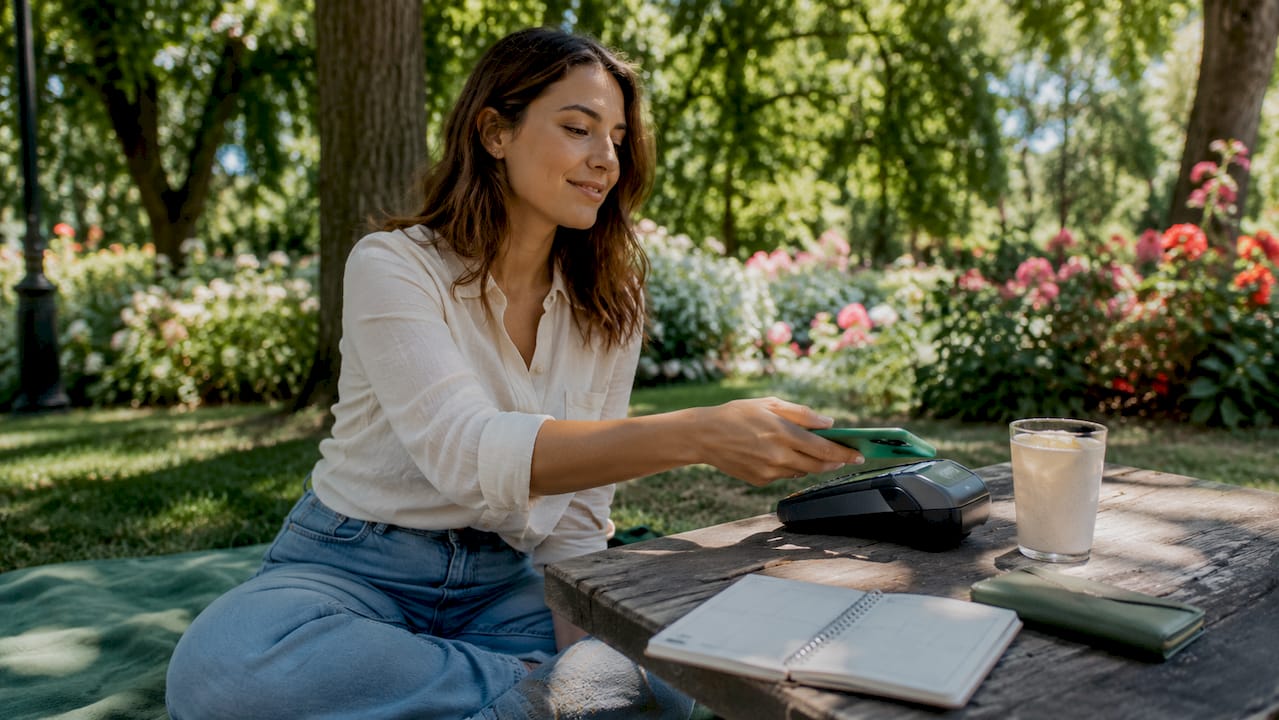
Linking your bank account to mobile payments is the process of securely connecting a financial account to a digital payment platform so you can authorize transactions without entering card details each time. Apps like Google Pay and Apple Pay rely on this connection, as do Open Banking solutions like Pay by Bank, which routes payments directly between your bank and a merchant. The result is faster checkout, stronger fraud protection, and a cleaner view of your spending. This guide covers every step of the setup, the tools you need, and how to fix the problems that trip most people up.
What you need to link bank account for mobile payments
Before you open any app, confirm you have the right hardware and credentials. Missing one item adds days to the process.
Device and hardware requirements
Your smartphone must support NFC (Near Field Communication) to use contactless payment at terminals. NFC must be activated on your device before any mobile payment app can communicate with a point-of-sale reader. This step is frequently skipped, and it is the single most common reason a phone fails at checkout even after a successful bank link. On Android, find NFC under Settings > Connected Devices. On iPhone, NFC is enabled by default for Apple Pay.

Credentials and account information
You need the following before starting any mobile payment setup:
- Your bank’s routing number and account number (found on a check or in your online banking portal)
- A debit or credit card number, expiration date, and CVV if linking by card
- Your mobile number as registered with your bank
- Access to your bank’s mobile app or online banking login
Authentication tools
Google Pay and Apple Pay require a compatible smartphone and a mobile number registered with your bank for the verification step. Both platforms use biometric security, including Face ID, Touch ID, or a device passcode, to authorize each payment after linking. Set up at least one biometric method on your phone before you begin.
Pro Tip: Check your bank’s website for a list of supported mobile payment apps before downloading anything. Not every bank supports every platform, and confirming compatibility upfront saves time.
| Requirement | Details |
|---|---|
| NFC-enabled smartphone | Android or iOS device with NFC activated |
| Bank-registered mobile number | Must match exactly for SMS verification |
| Account or card details | Routing/account number or card number and CVV |
| Biometric or passcode setup | Face ID, Touch ID, or PIN configured on device |
| Bank app or online login | Required for instant credential-based linking |
How to link your bank account step by step
Two methods exist for bank account integration with mobile payment apps: instant linking and manual linking. The right choice depends on whether your bank supports credential-based verification through a service like Plaid.
Instant linking via online banking credentials
Plaid is the most widely used bank link service in the United States. It connects your bank account to a payment app by having you log in to your bank directly within the app’s interface. No account numbers are typed manually. The connection is verified in seconds.
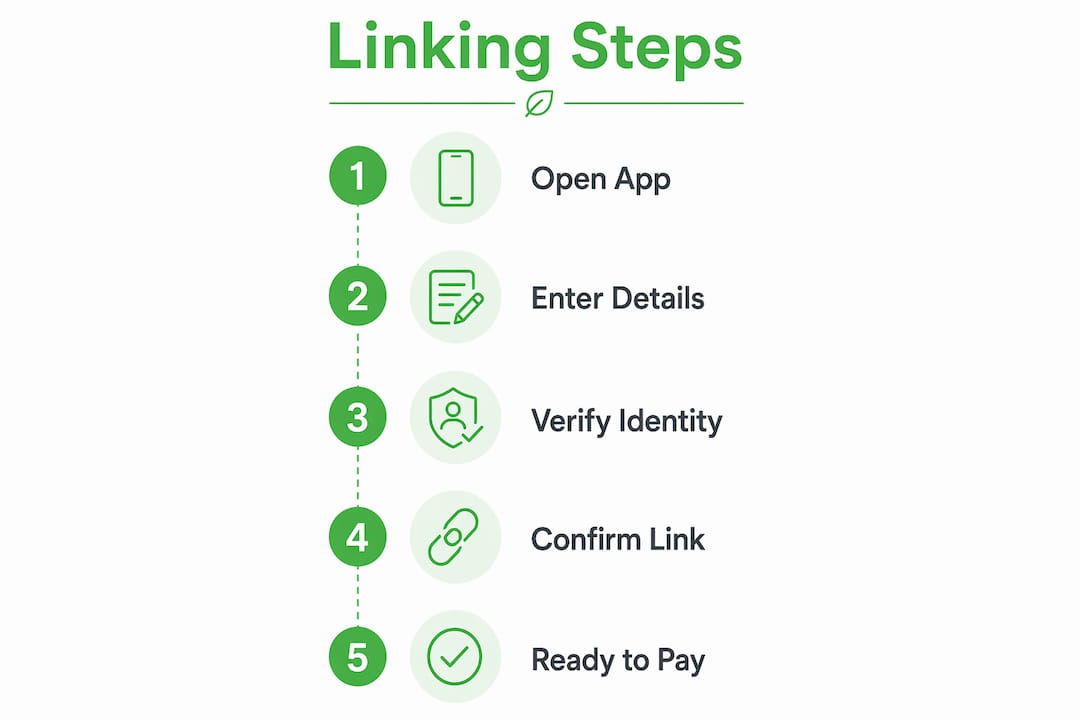
- Open your chosen payment app (Google Pay, Apple Pay, or your bank’s native app).
- Navigate to “Add payment method” or “Link bank account.”
- Select your bank from the list or search by name.
- Enter your online banking username and password when prompted.
- Complete any two-factor authentication your bank requires.
- Confirm the account you want to link and approve the connection.
Manual linking via micro-deposit verification
If your bank is not supported by instant verification, the app deposits two small amounts (each under one dollar) into your account and then withdraws them. Micro-deposit verification requires you to enter those exact amounts within a limited timeframe, or the linked account becomes inactive and you must restart the process. Most platforms give you 10 days to complete this step.
- Select “Manual bank account entry” in the app.
- Enter your routing number and account number.
- Wait 1 to 3 business days for two small deposits to appear.
- Return to the app and enter the exact deposit amounts.
- Confirm the link and set a default payment method if prompted.
Pro Tip: Screenshot or write down the deposit amounts the moment they appear in your bank statement. The 10-day window sounds generous, but it passes quickly if you forget to check.
| Method | Time to complete | Best for |
|---|---|---|
| Instant (Plaid or similar) | Under 5 minutes | Banks supported by the app’s verification partner |
| Manual micro-deposit | 1 to 5 business days | Banks not on the supported list |
| Card-based linking | Under 2 minutes | Users who prefer not to share account numbers |
Common problems when linking accounts and how to fix them
Most linking failures trace back to three causes: a mobile number mismatch, incorrect credentials, or a missed verification window. Each has a direct fix.
SIM card and mobile number mismatch
A SIM card mismatch with the bank-registered mobile number causes linking failure when banks use SMS verification. Even if you are using the correct phone, an inactive SIM or a number that differs from your bank’s records blocks the SMS code entirely. Call your bank to confirm which number is on file, then update it before retrying.
Expired or incorrect card details
Entering an expired card number or a wrong CVV stops the setup immediately. Banks do not always notify apps when a card expires, so a link that worked last year may silently fail today. Check your card’s expiration date and re-enter details if needed.
Missed micro-deposit window
Users frequently miss the critical 10-day window to verify manual bank account linking, causing delays or the need to relink from scratch. If the window closes, delete the pending account from the app and restart the manual process.
NFC not activated
NFC hardware activation is often overlooked but is required for contactless payments at terminals. If your phone links successfully but fails at checkout, go to your device settings and confirm NFC is on.
Security reminder: Never share your OTP, PIN, or banking password with anyone claiming to help you link your account. Legitimate apps and banks never ask for these details over the phone or via text.
Pro Tip: If SMS verification keeps failing, temporarily disable Wi-Fi calling on your phone. Some carriers route SMS differently over Wi-Fi, which can prevent the bank’s verification code from arriving.
How linking bank accounts improves security and financial management
Connecting your bank account directly to a payment platform does more than add convenience. It changes the security model of every transaction you make.
Pay by Bank via Open Banking enables direct bank-to-merchant payments with instant settlement and biometric security. The merchant receives only a payment confirmation. Your account number, card details, and personal data never leave your banking app. This is a meaningful improvement over card-based payments, where card data passes through multiple systems before a transaction settles.
The security benefits of direct bank account linking include:
- No card data shared: Merchants receive payment confirmation only, not account or card numbers.
- Biometric authorization: Every transaction requires Face ID, fingerprint, or a secure passcode before funds move.
- Reduced fraud exposure: Open Banking APIs increase security by not sharing account numbers or card data with merchants, cutting fraud risk at the point of sale.
- Automatic transaction feeds: Linking accounts for automated feeds reduces errors from manual data entry, improving accounting accuracy in apps like QuickBooks or personal finance tools.
When you connect your bank account to a financial management app, most banks provide 90 days of transaction history at the point of connection, with some supporting up to 24 months. That range matters if you are setting up a budget or reconciling past spending. Confirm the import window with your bank before connecting to avoid gaps in your records.
| Security feature | Benefit |
|---|---|
| Pay by Bank / Open Banking | No card data shared with merchants |
| Biometric authorization | Prevents unauthorized payments |
| Automatic transaction feeds | Reduces manual entry errors |
| API-based settlement | Faster, traceable payment confirmation |
Best practices for managing your linked accounts over time
Linking your account is a one-time setup, but keeping it secure and functional requires periodic attention.
- Monitor linked accounts regularly. Review your transaction history at least weekly. Unusual charges on a linked account are easier to dispute when caught early.
- Update details after any account change. A new debit card, a changed phone number, or a new bank account requires you to re-link. Apps do not always detect these changes automatically.
- Manage multiple linked accounts deliberately. If you link more than one account, set a clear default for everyday payments. Ambiguity about which account funds a purchase creates reconciliation problems later.
- Review app permissions periodically. Check which apps have access to your bank account every three to six months. Revoke access for any app you no longer use.
- Use two-factor authentication on every payment app. Rmous members can take advantage of instant card replacement through the MyRMO platform, which reduces downtime if a linked card is compromised.
Pro Tip: Set a calendar reminder every 90 days to review your linked accounts and app permissions. It takes five minutes and prevents the kind of slow-drain fraud that goes unnoticed for months.
Key takeaways
Linking your bank account to mobile payment apps is most secure and efficient when you use Open Banking or biometric-verified instant linking rather than card-based methods.
| Point | Details |
|---|---|
| Confirm NFC and credentials first | Activate NFC and gather routing numbers before starting any mobile payment setup. |
| Choose instant linking when available | Plaid-based instant linking completes in minutes and avoids manual entry errors. |
| Watch the micro-deposit window | You have 10 days to verify manual links before the account goes inactive. |
| Direct bank linking beats card linking | Open Banking keeps your card and account data off merchant systems entirely. |
| Review linked accounts every 90 days | Revoke unused app access and update details after any account or card change. |
Why direct bank linking is the smarter move in 2026
I have spent years watching people set up mobile payments the hard way: entering card numbers, dealing with expired credentials, and then wondering why a payment failed at the register. The shift toward Pay by Bank and Open Banking APIs is not just a technical upgrade. It is a fundamentally better security posture for everyday consumers.
The part most guides skip is the maintenance side. Linking your account once and forgetting it is how fraud goes undetected for months. The people I have seen manage their digital finances well treat their linked accounts the same way they treat their passwords: they review them on a schedule, they revoke access they no longer need, and they update details the moment anything changes at their bank.
My honest advice is to prioritize apps and banks that support biometric confirmation at the transaction level, not just at login. A platform that asks for Face ID once when you open the app but not when you send $500 is not giving you the protection you think it is. The MyRMO digital banking platform is one example of a system built with per-transaction security in mind, which is the standard worth holding other platforms to.
If your current bank does not support instant linking through a verified service, that is worth factoring into your next banking decision. The friction of manual micro-deposit verification is minor. The long-term cost of a bank that cannot integrate with modern payment tools is not.
How Rmous supports secure mobile payment linking
Rmous is built for exactly this kind of connected financial life. Every Rmous member gets access to FDIC-insured checking and savings accounts designed to work with modern digital payment tools, including biometric login, instant payment confirmation, and automatic transaction feeds that keep your records accurate without manual entry.
RMOPay™ takes mobile payments a step further by enabling instant, secure transfers between Rmous members, with no card data exchanged and no settlement delays. Whether you are setting up Google Pay, Apple Pay, or a direct bank link for the first time, Rmous accounts are built to connect cleanly and stay secure. Visit Rmous to explore membership options and see how a connected financial ecosystem simplifies every payment you make.
FAQ
What does it mean to link a bank account to mobile payments?
Linking a bank account to mobile payments connects your financial account to a digital payment app so you can authorize purchases using biometrics or a passcode instead of entering card details. Apps like Google Pay and Apple Pay use this connection to process payments at terminals and online.
How long does it take to link a bank account?
Instant linking through a service like Plaid takes under five minutes. Manual micro-deposit verification takes one to five business days, plus the time needed to confirm the deposit amounts in your bank statement.
Why is my bank account not linking to a mobile payment app?
The most common causes are a SIM card mismatch with your bank-registered mobile number, incorrect login credentials, or an expired card. Confirm your registered phone number with your bank and verify that NFC is activated on your device.
Is linking a bank account to mobile payments safe?
Direct bank linking via Open Banking is more secure than card-based linking because merchants receive only payment confirmation and never see your account or card numbers. Every transaction is authorized through your banking app using biometric security or a secure passcode.
What happens if I miss the micro-deposit verification window?
If you do not verify the micro-deposit amounts within the allowed timeframe (typically 10 days), the linked account becomes inactive. You must delete the pending account from the app and restart the manual linking process from the beginning.